Catalogue
Add a title in seconds. From TMDB, with artwork, cast and trailers.
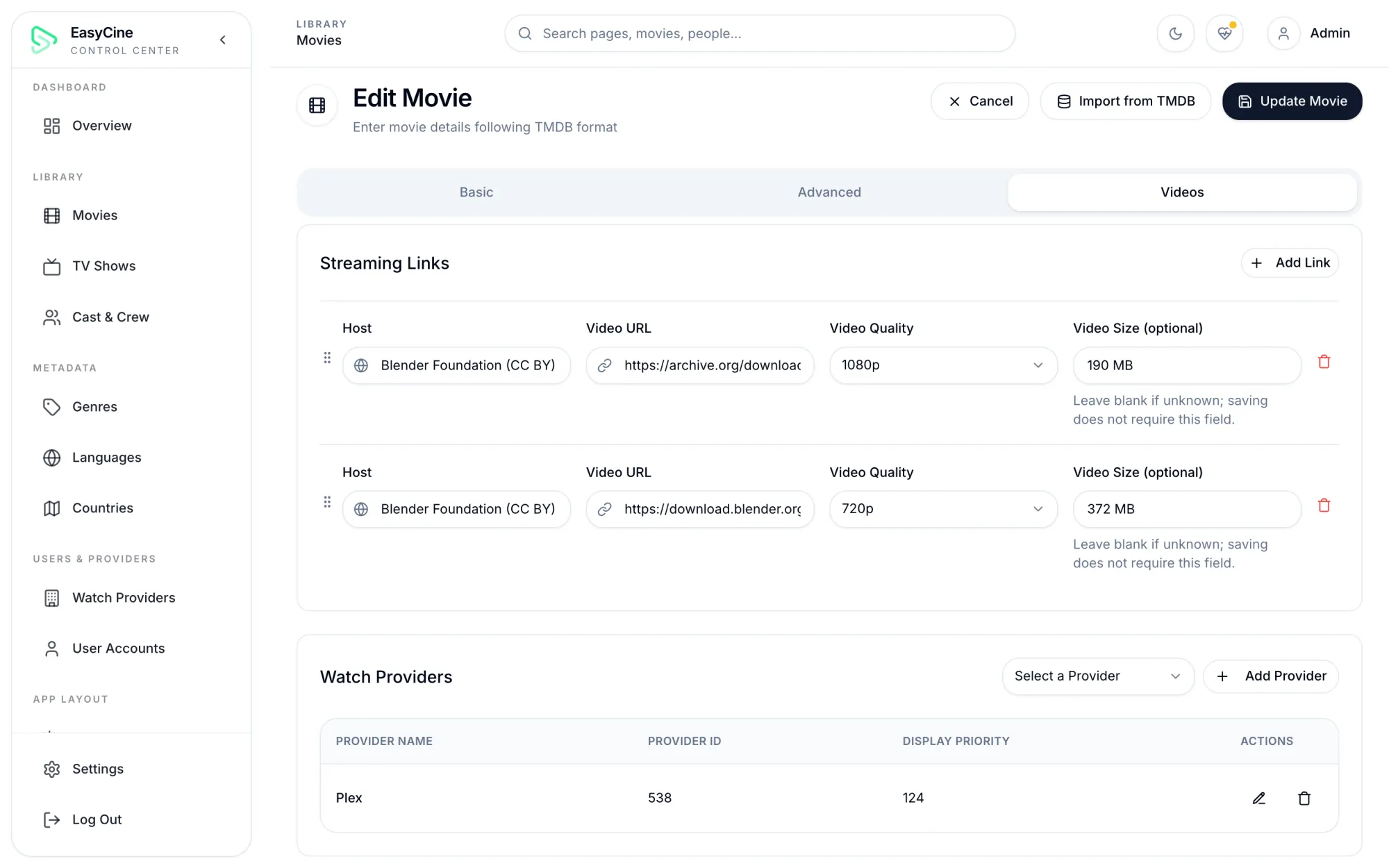
- One-step TMDB import
- Season and cast sync
- Links with quality tags
A React and Laravel 12 admin panel that runs your catalogue, your Home screens and both apps.
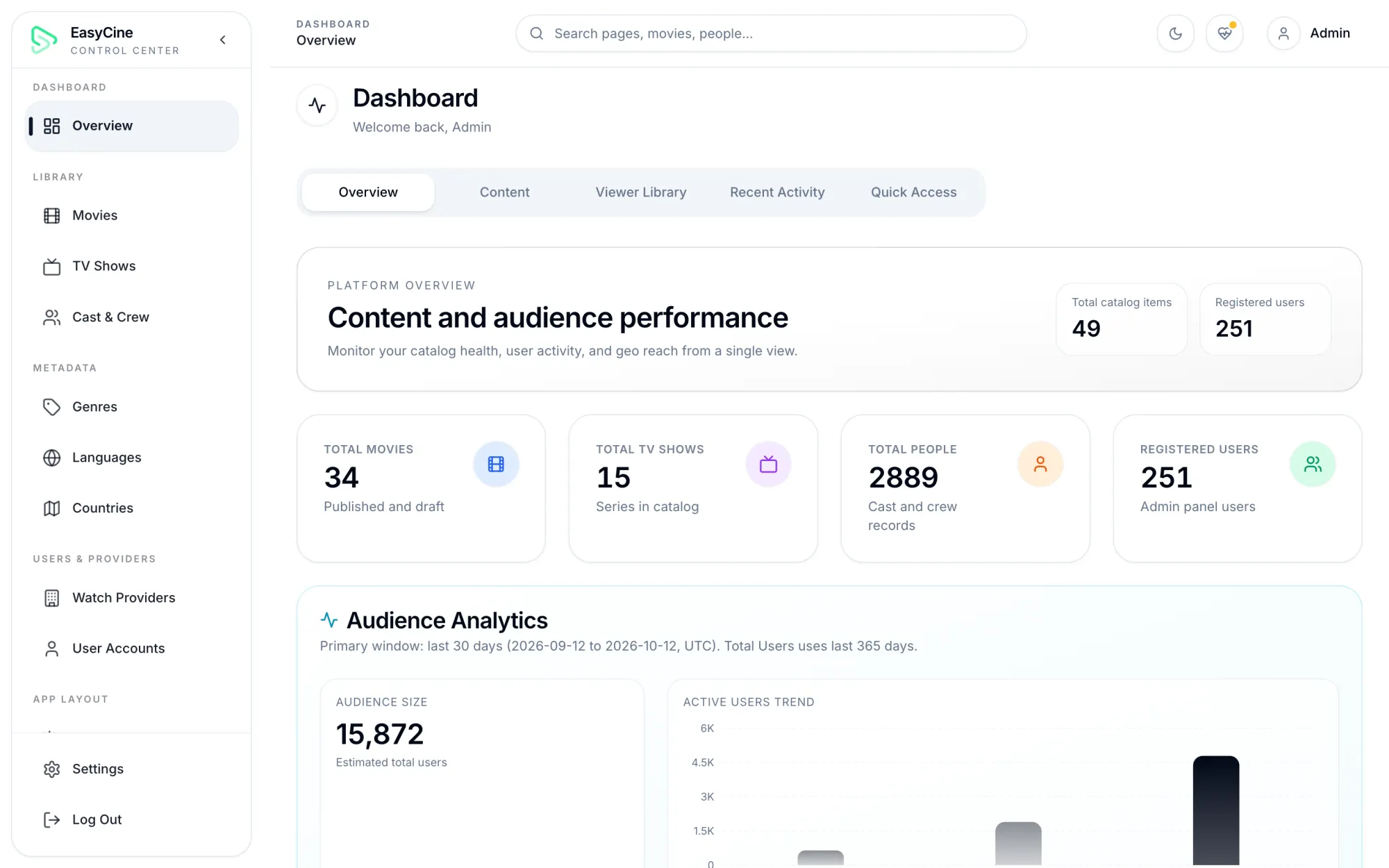
Audience dashboard
Active users, sessions, countries and cities from GA4.
Content totals
Movies, shows and people at a glance.
Viewer library analytics
Most watched, most watchlisted and top rated.
Server health
Cache, queue, scheduler, storage and sync status.
TMDB import
Add a title with artwork, cast and trailers in one step.
Season sync
Pull new seasons and episodes from TMDB.
Cast and crew
People kept in sync with TMDB.
Genres, languages, countries
Imported from TMDB in a click.
Watch providers
Channel logos for rows and filters.
Streaming links
Per title and per episode, with quality tags up to 8K.
LinksPanelDownload links
Separate links for offline viewing.
LinksPanelKids-safe flag
Set from the age rating, editable.
PanelContent restrictions
Hide any title by its TMDB ID.
Slider editor
Pick the featured titles.
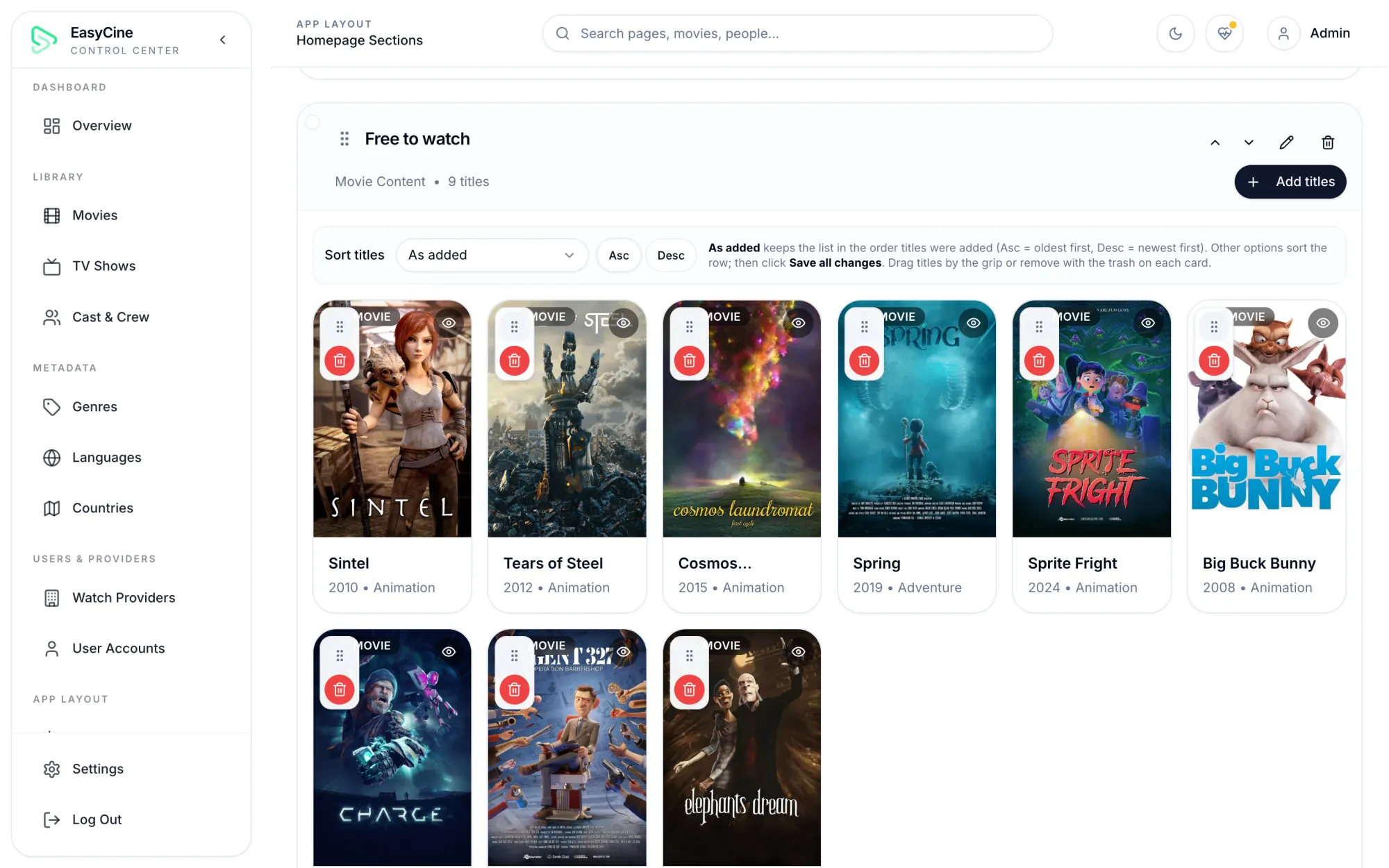
Homepage sections
Custom rows by type or genre, sortable.
Staff picks
Several rows, up to 100 titles each, drag to order.
Preset sections
Order, show or style the built-in rows.
Country content
Tune what each country sees first.
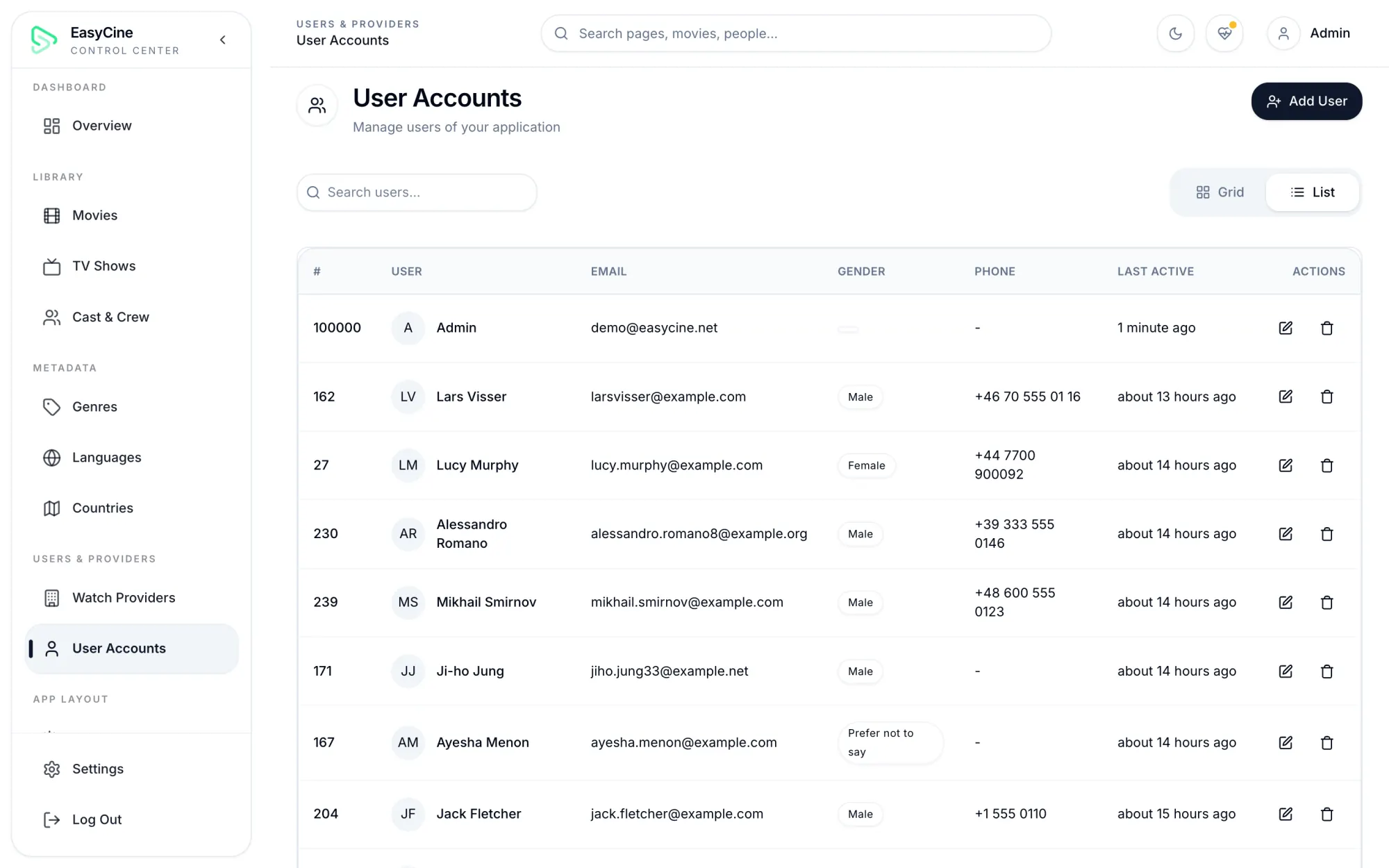
User accounts
Add, edit or remove viewers and see their profiles.
LinksPanelPIN and lock resets
Help viewers who are locked out.
LinksPanelIn-app announcement
A banner in the app, from the panel.
Push campaigns
Segments, images, links and scheduling.
Automatic push
New titles, seasons and episodes announce themselves.
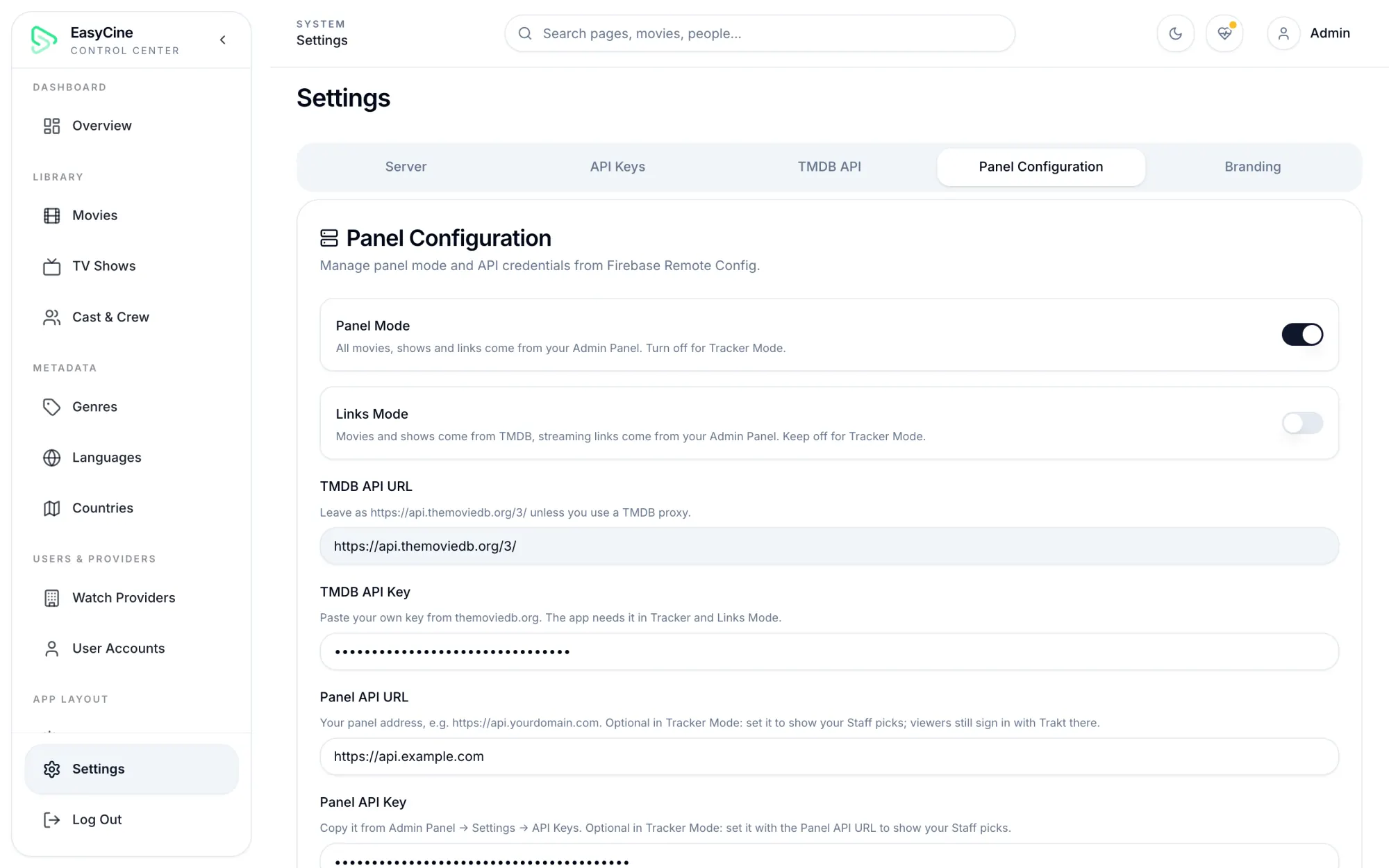
Mode switch
Tracker, Links or Panel mode, no app update.
Sources settings
Addons, plugins and embed servers in one place.
Player settings
Defaults for every viewer's player.
Download settings
Turn downloads on, off or external only.
Ad settings
Networks, units and frequency caps.
App updates
Push an optional or required update.
TV app settings
Separate updates and login rules for TV.
Branding
App name, logo and splash, plus the panel's own.
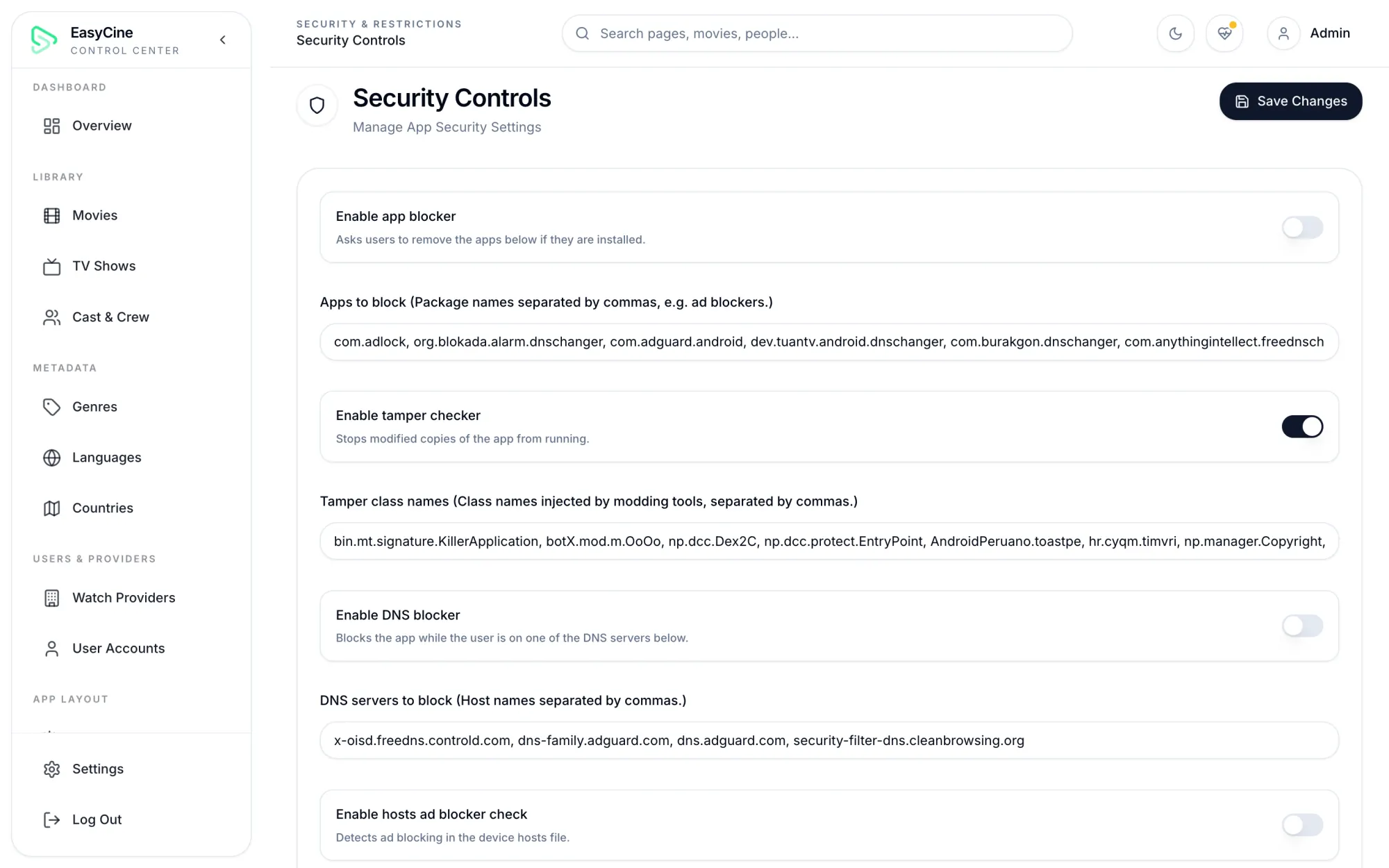
App protection
Tamper checks plus app, DNS and hosts-file blockers.
Required apps
Ask viewers to install apps you rely on.
Geo filters
Allow or block whole countries.
Signed requests
The API only answers your genuine apps.
Short-lived stream tokens
Links can't be copied and reused.
LinksPanelInstall wizard
A web installer for any PHP host.
Web pages
Share pages, TV sign-in and account deletion pages.
PHP 8.2 or later with MySQL or MariaDB, on a VPS or shared hosting. The Builder can install everything on an Ubuntu or Debian server over SSH, or you upload the files and run the install wizard.
No. Tracker mode runs on TMDB alone. Connect a panel only if you want staff picks.
React 18 and TypeScript for the panel, Laravel 12 for the API, and Firebase Remote Config for app settings.
Audience numbers come from Google Analytics 4 through Firebase. Library stats come from your own database.
In one click from the Builder, or by uploading the new files and running the update step of the install wizard.